
7 Daily Sales Report Automation Metrics for Car Dealerships
Daily Sales Report Automation helps dealer owners and sales managers needing daily visibility solve manual sales reports that are late, incomplete, or too vague to act on. The direct answer is to use a structured workflow: answer the buyer quickly, collect the missing details, use verified vehicle context, and log the next action before the lead goes cold.
[lwptoc]
Quick Answer
Daily Sales Report Automation should be used to create a daily view of hot leads, missed replies, appointments, and next actions. The safest approach is not full autopilot. AutoHubCore recommends assisted automation: the system prepares summaries, reply drafts, reminders, and reports, while dealership staff review sensitive buyer-facing claims.
For Malaysian and Southeast Asian dealers, this matters because many serious buyers decide whether to trust the dealer before they visit the showroom.
What to Know First
This article is written for dealer owners and sales managers needing daily visibility. It focuses on real dealership operations: WhatsApp replies, buyer qualification, vehicle context, follow-up discipline, and manager visibility.
The workflow only works if the team keeps information current. If stock status, price, vehicle record, or buyer stage is outdated, automation will only make the wrong information move faster.
AutoHubCore connects this topic back to Dealer AI Assistant, vehicle inquiry reports, and practical follow-up workflows for automotive dealers.
Workflow Comparison Table
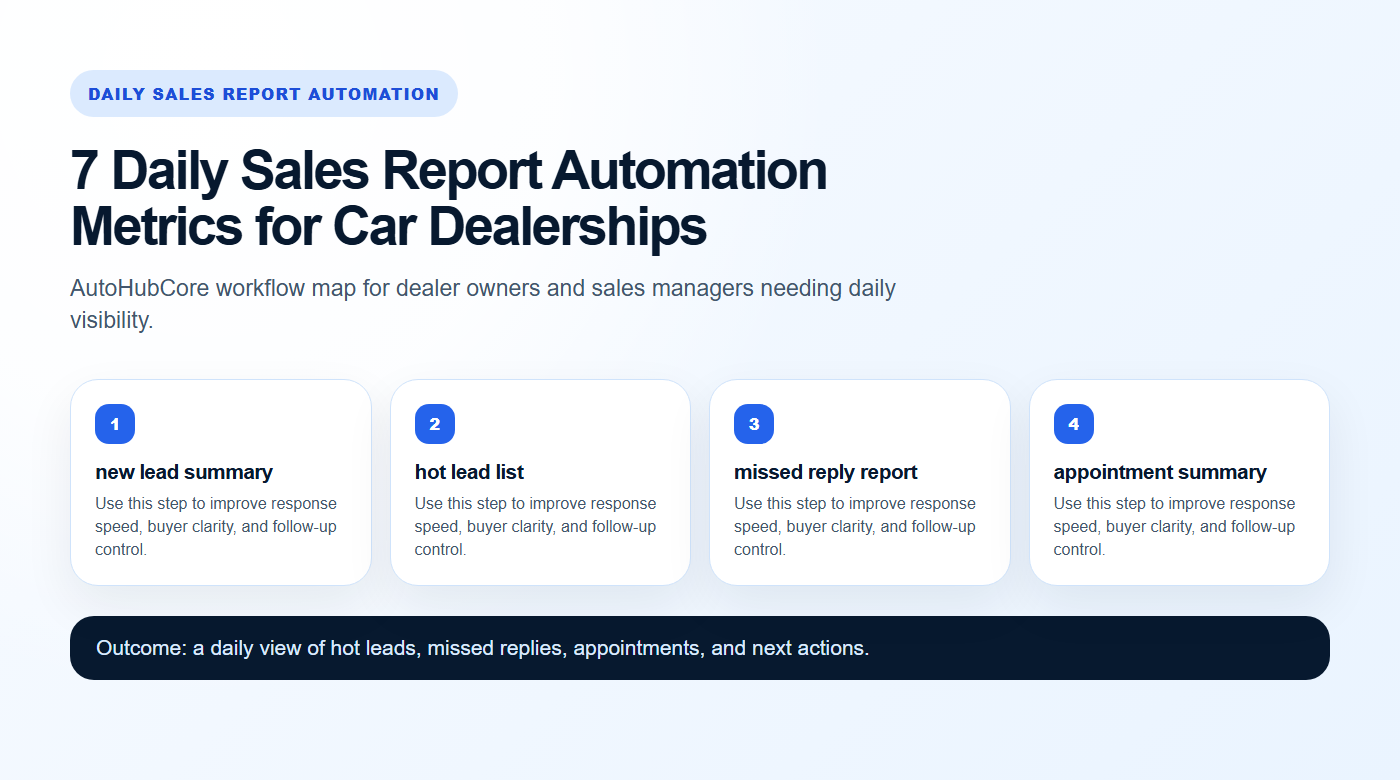
| Workflow | Best for | Workflow strength | Human review risk |
|---|---|---|---|
| new lead summary | owner asks for daily lead status | High daily impact | Low |
| hot lead list | manager checks missed replies | High daily impact | Low |
| missed reply report | salesperson prepares next-day actions | Strong process control | Medium to high |
| appointment summary | owner asks for daily lead status | Strong process control | Low |
| vehicle demand | manager checks missed replies | Strong process control | Low |
| salesperson action | salesperson prepares next-day actions | Good management visibility | Low |
| manager escalation | owner asks for daily lead status | Good management visibility | Low |
Why This Problem Happens
The common issue is manual sales reports that are late, incomplete, or too vague to act on. Sales teams are usually not ignoring buyers on purpose. They are switching between showroom visitors, WhatsApp chats, marketplace inquiries, loan updates, stock questions, and handover tasks.
Without a standard structure, one salesperson may send a detailed reply while another sends only a price. One buyer may receive a follow-up while another is forgotten. That inconsistency makes the dealership look less prepared than it really is.
Practical Workflow Advice
Start with one repeatable workflow instead of trying to automate the entire dealership. Pick one source of leads, one sales team, or one vehicle type. Then define the required buyer fields, approved reply style, and next action rules.
For Daily Sales Report Automation, the practical sequence is: capture the buyer question, identify the vehicle or campaign, prepare a useful reply, ask one next-step question, and record the follow-up owner.
- new lead summary: define the input, the buyer-facing reply, and the next action before automation is added.
- hot lead list: define the input, the buyer-facing reply, and the next action before automation is added.
- missed reply report: define the input, the buyer-facing reply, and the next action before automation is added.
- appointment summary: define the input, the buyer-facing reply, and the next action before automation is added.
- vehicle demand: define the input, the buyer-facing reply, and the next action before automation is added.
- salesperson action: define the input, the buyer-facing reply, and the next action before automation is added.
- manager escalation: define the input, the buyer-facing reply, and the next action before automation is added.
Examples for Dealer Teams
- owner asks for daily lead status: use the workflow to answer the buyer clearly, collect missing context, and move the lead toward viewing, loan discussion, trade-in, or manager review.
- manager checks missed replies: use the workflow to answer the buyer clearly, collect missing context, and move the lead toward viewing, loan discussion, trade-in, or manager review.
- salesperson prepares next-day actions: use the workflow to answer the buyer clearly, collect missing context, and move the lead toward viewing, loan discussion, trade-in, or manager review.
Decision Guidance
Use this workflow when it helps the salesperson move the buyer forward. Do not use it simply to send more messages. More messages do not automatically mean better conversion.
If buyers are waiting too long, prioritize first-response automation. If buyers ask trust questions, prioritize vehicle records and inquiry reports. If managers cannot see what is happening, prioritize daily reporting and missed-follow-up alerts.
How to Roll This Out in One Week
Start with a small rollout instead of changing every sales habit at once. Pick one salesperson, one lead source, and one vehicle category. Prepare the approved reply style, confirm who reviews sensitive messages, and decide how next actions will be recorded.
At the end of the week, review three things: whether buyers received faster answers, whether salespeople captured better lead details, and whether managers could see missed follow-ups earlier. If those three signals improve, expand the workflow to more staff or more lead sources.
Human Review Rules
Human review remains necessary for anything involving money, legal status, accident history, warranty, final price, booking terms, financing expectations, or complaints. AI can prepare a draft, but staff should approve the claim.
For communication workflows involving WhatsApp, use official platform guidance such as Meta WhatsApp Business Platform documentation. For business visibility and accuracy, review Google Business Profile guidelines.
Internal AutoHubCore Reading Path
- WhatsApp follow-up templates
- Vehicle inquiry report checklist
- Build buyer trust with vehicle records
- Dealer AI Assistant workflows
- New-car lead response automation
- Digital tools for recon dealers
- What is a Dealer AI Assistant?
- WhatsApp AI replies for car dealers
Official External References
WhatsApp implementation: Meta WhatsApp Business Platform documentation.
Dealer visibility and business profile accuracy: Google Business Profile guidelines.
Structured content and schema basics: Google Search Central structured data introduction.
Our Take / Trust Note
AutoHubCore’s position is practical: automation should make dealers faster and more consistent, not careless. The best workflow helps salespeople answer buyers clearly while protecting accuracy.
For dealer owners and sales managers needing daily visibility, trust is built before the showroom visit. Fast replies matter, but verified information and controlled follow-up matter just as much.
Last Reviewed
Last reviewed: September 13, 2026. This article covers dealer workflow, AI/software, or digital sales process guidance and should be reviewed when product workflows, WhatsApp rules, or Google structured-data guidance materially change.
FAQ
What is the best first step for Daily Sales Report Automation?
Start with the workflow that removes the biggest daily bottleneck for dealer owners and sales managers needing daily visibility: usually first reply speed, buyer qualification, vehicle context, or no-reply follow-up.
How does AutoHubCore support Daily Sales Report Automation?
AutoHubCore connects vehicle records, inquiry reports, WhatsApp-ready replies, Dealer AI Assistant workflows, and manager visibility so the sales team has clearer next actions.
Should dealers automate every buyer message?
No. AI can draft, summarize, and remind, but staff should review price, loan, warranty, accident history, legal status, and final commitments.
How should dealers measure success?
Track first-response time, complete lead details, appointment rate, no-reply follow-up completion, and missed follow-ups by salesperson or channel.
Turn this into a dealer workflow
AutoHubCore helps automotive dealers turn Daily Sales Report Automation into WhatsApp-ready replies, vehicle-context summaries, follow-up prompts, and manager visibility.
One Comment